%20scale(0.65)%20translate(-4%20-10)'%3e%3cpath%20d='M103%20140H50A37%2037%200%201%201%2066.44%2069.85A58%2058%200%200%201%20181.21%2067.44A38%2038%200%201%201%20197%20140H145V124A21%2021%200%200%200%20103%20124Z'%20fill='none'%20stroke='%231F2A33'%20stroke-width='18'%20stroke-linejoin='round'%20stroke-linecap='round'/%3e%3c/g%3e%3cpath%20d='M213.1%2092.04Q204.9%2092.04%20198.35%2088.29Q191.8%2084.54%20187.95%2078.04Q184.1%2071.54%20184.1%2063.44Q184.1%2055.34%20187.9%2048.89Q191.7%2042.44%20198.3%2038.74Q204.9%2035.04%20213.1%2035.04Q219.2%2035.04%20224.4%2037.14Q229.6%2039.24%20233.3%2042.99Q237%2046.74%20238.6%2051.84L225.6%2057.44Q224.2%2053.34%20220.85%2050.94Q217.5%2048.54%20213.1%2048.54Q209.2%2048.54%20206.15%2050.44Q203.1%2052.34%20201.35%2055.74Q199.6%2059.14%20199.6%2063.54Q199.6%2067.94%20201.35%2071.34Q203.1%2074.74%20206.15%2076.64Q209.2%2078.54%20213.1%2078.54Q217.6%2078.54%20220.9%2076.14Q224.2%2073.74%20225.6%2069.64L238.6%2075.34Q237.1%2080.14%20233.4%2083.94Q229.7%2087.74%20224.5%2089.89Q219.3%2092.04%20213.1%2092.04ZM263.3%2092.04Q257.4%2092.04%20253.1%2090.14Q248.8%2088.24%20246.5%2084.69Q244.2%2081.14%20244.2%2076.24Q244.2%2071.64%20246.3%2068.09Q248.4%2064.54%20252.75%2062.14Q257.1%2059.74%20263.6%2058.74L280.3%2056.04V67.04L266.3%2069.54Q263.1%2070.14%20261.4%2071.59Q259.7%2073.04%20259.7%2075.74Q259.7%2078.24%20261.6%2079.64Q263.5%2081.04%20266.3%2081.04Q270%2081.04%20272.8%2079.44Q275.6%2077.84%20277.15%2075.09Q278.7%2072.34%20278.7%2069.04V54.84Q278.7%2051.74%20276.25%2049.64Q273.8%2047.54%20269.6%2047.54Q265.6%2047.54%20262.55%2049.74Q259.5%2051.94%20258.1%2055.54L246.1%2049.84Q247.7%2045.24%20251.2%2041.94Q254.7%2038.64%20259.6%2036.84Q264.5%2035.04%20270.3%2035.04Q277.2%2035.04%20282.5%2037.54Q287.8%2040.04%20290.75%2044.49Q293.7%2048.94%20293.7%2054.84V90.84H279.7V82.04L283.1%2081.44Q280.7%2085.04%20277.8%2087.39Q274.9%2089.74%20271.3%2090.89Q267.7%2092.04%20263.3%2092.04ZM303.7%2090.84V15.14H318.7V47.04L316.9%2044.64Q318.8%2039.74%20323.05%2037.39Q327.3%2035.04%20333%2035.04Q339.2%2035.04%20343.85%2037.64Q348.5%2040.24%20351.1%2044.89Q353.7%2049.54%20353.7%2055.74V90.84H338.7V58.94Q338.7%2055.74%20337.45%2053.44Q336.2%2051.14%20333.95%2049.84Q331.7%2048.54%20328.7%2048.54Q325.8%2048.54%20323.5%2049.84Q321.2%2051.14%20319.95%2053.44Q318.7%2055.74%20318.7%2058.94V90.84ZM382.2%2092.04Q375.6%2092.04%20370.95%2089.19Q366.3%2086.34%20363.9%2081.24Q361.5%2076.14%20361.5%2069.34V36.24H376.5V68.14Q376.5%2071.24%20377.75%2073.59Q379%2075.94%20381.3%2077.24Q383.6%2078.54%20386.5%2078.54Q389.5%2078.54%20391.75%2077.24Q394%2075.94%20395.25%2073.59Q396.5%2071.24%20396.5%2068.14V36.24H411.5V90.84H397.5V80.04L398.3%2082.44Q396.4%2087.34%20392.15%2089.69Q387.9%2092.04%20382.2%2092.04ZM447.8%2091.44Q437.9%2091.44%20432.45%2086.09Q427%2080.74%20427%2071.14V49.24H417.8V36.24H418.3Q422.5%2036.24%20424.75%2034.14Q427%2032.04%20427%2027.84V23.84H442V36.24H454.8V49.24H442V70.14Q442%2072.94%20443%2074.79Q444%2076.64%20446.1%2077.54Q448.2%2078.44%20451.3%2078.44Q452%2078.44%20452.9%2078.34Q453.8%2078.24%20454.8%2078.14V90.84Q453.3%2091.04%20451.4%2091.24Q449.5%2091.44%20447.8%2091.44Z'%20fill='%231F2A33'/%3e%3c/svg%3e)
%20scale(0.65)%20translate(-4%20-10)'%3e%3cpath%20d='M103%20140H50A37%2037%200%201%201%2066.44%2069.85A58%2058%200%200%201%20181.21%2067.44A38%2038%200%201%201%20197%20140H145V124A21%2021%200%200%200%20103%20124Z'%20fill='none'%20stroke='%23F7F5F0'%20stroke-width='18'%20stroke-linejoin='round'%20stroke-linecap='round'/%3e%3c/g%3e%3cpath%20d='M213.1%2092.04Q204.9%2092.04%20198.35%2088.29Q191.8%2084.54%20187.95%2078.04Q184.1%2071.54%20184.1%2063.44Q184.1%2055.34%20187.9%2048.89Q191.7%2042.44%20198.3%2038.74Q204.9%2035.04%20213.1%2035.04Q219.2%2035.04%20224.4%2037.14Q229.6%2039.24%20233.3%2042.99Q237%2046.74%20238.6%2051.84L225.6%2057.44Q224.2%2053.34%20220.85%2050.94Q217.5%2048.54%20213.1%2048.54Q209.2%2048.54%20206.15%2050.44Q203.1%2052.34%20201.35%2055.74Q199.6%2059.14%20199.6%2063.54Q199.6%2067.94%20201.35%2071.34Q203.1%2074.74%20206.15%2076.64Q209.2%2078.54%20213.1%2078.54Q217.6%2078.54%20220.9%2076.14Q224.2%2073.74%20225.6%2069.64L238.6%2075.34Q237.1%2080.14%20233.4%2083.94Q229.7%2087.74%20224.5%2089.89Q219.3%2092.04%20213.1%2092.04ZM263.3%2092.04Q257.4%2092.04%20253.1%2090.14Q248.8%2088.24%20246.5%2084.69Q244.2%2081.14%20244.2%2076.24Q244.2%2071.64%20246.3%2068.09Q248.4%2064.54%20252.75%2062.14Q257.1%2059.74%20263.6%2058.74L280.3%2056.04V67.04L266.3%2069.54Q263.1%2070.14%20261.4%2071.59Q259.7%2073.04%20259.7%2075.74Q259.7%2078.24%20261.6%2079.64Q263.5%2081.04%20266.3%2081.04Q270%2081.04%20272.8%2079.44Q275.6%2077.84%20277.15%2075.09Q278.7%2072.34%20278.7%2069.04V54.84Q278.7%2051.74%20276.25%2049.64Q273.8%2047.54%20269.6%2047.54Q265.6%2047.54%20262.55%2049.74Q259.5%2051.94%20258.1%2055.54L246.1%2049.84Q247.7%2045.24%20251.2%2041.94Q254.7%2038.64%20259.6%2036.84Q264.5%2035.04%20270.3%2035.04Q277.2%2035.04%20282.5%2037.54Q287.8%2040.04%20290.75%2044.49Q293.7%2048.94%20293.7%2054.84V90.84H279.7V82.04L283.1%2081.44Q280.7%2085.04%20277.8%2087.39Q274.9%2089.74%20271.3%2090.89Q267.7%2092.04%20263.3%2092.04ZM303.7%2090.84V15.14H318.7V47.04L316.9%2044.64Q318.8%2039.74%20323.05%2037.39Q327.3%2035.04%20333%2035.04Q339.2%2035.04%20343.85%2037.64Q348.5%2040.24%20351.1%2044.89Q353.7%2049.54%20353.7%2055.74V90.84H338.7V58.94Q338.7%2055.74%20337.45%2053.44Q336.2%2051.14%20333.95%2049.84Q331.7%2048.54%20328.7%2048.54Q325.8%2048.54%20323.5%2049.84Q321.2%2051.14%20319.95%2053.44Q318.7%2055.74%20318.7%2058.94V90.84ZM382.2%2092.04Q375.6%2092.04%20370.95%2089.19Q366.3%2086.34%20363.9%2081.24Q361.5%2076.14%20361.5%2069.34V36.24H376.5V68.14Q376.5%2071.24%20377.75%2073.59Q379%2075.94%20381.3%2077.24Q383.6%2078.54%20386.5%2078.54Q389.5%2078.54%20391.75%2077.24Q394%2075.94%20395.25%2073.59Q396.5%2071.24%20396.5%2068.14V36.24H411.5V90.84H397.5V80.04L398.3%2082.44Q396.4%2087.34%20392.15%2089.69Q387.9%2092.04%20382.2%2092.04ZM447.8%2091.44Q437.9%2091.44%20432.45%2086.09Q427%2080.74%20427%2071.14V49.24H417.8V36.24H418.3Q422.5%2036.24%20424.75%2034.14Q427%2032.04%20427%2027.84V23.84H442V36.24H454.8V49.24H442V70.14Q442%2072.94%20443%2074.79Q444%2076.64%20446.1%2077.54Q448.2%2078.44%20451.3%2078.44Q452%2078.44%20452.9%2078.34Q453.8%2078.24%20454.8%2078.14V90.84Q453.3%2091.04%20451.4%2091.24Q449.5%2091.44%20447.8%2091.44Z'%20fill='%23F7F5F0'/%3e%3c/svg%3e)
Brand
The Cahut brand
Cahut is a simple shelter of your own, set in the cloud. Its brand is warm paper, blue-grey ink, a touch of sky and a rare ray of sun. Here are its name, logo, colors, type and pictures, the few rules that keep them whole, and the files to download.
Get the logosFull guidelinesPDF · 3.6 MB · French

01The name
Cahut, with one capital
Cahut comes from cahute, the French word for a small hut you build yourself. It is a simple shelter of your own, set in the cloud: cloud and hut at once.
Cahut
In running text, with a capital. An instance is a Cahut too: your Cahut, 3 Rooms in this Cahut.
CAHUT
Never in capitals, not even in a heading or on a button.
cahut
In lowercase only in the logo, which is drawn, not typed, and in commands such as
cahut domain add.
Signature
Your own cloud for everything your AI makes.
Voice
Calm, precise and welcoming. Cahut speaks the language of the house, in plain English, and every technical idea has a word that everyone understands.
- Short sentences and concrete verbs: publish, share, approve, roll back.
- Say who acts: which AI, on whose behalf, with what result.
- Reassure without alarm: no capitals for emphasis, no exclamation marks, no alert emoji.
- No promises of AI magic: Cahut hosts the work, it does not create it.
- Sentence case for titles, buttons and menus. Numbers in figures.
| Write | Avoid |
|---|---|
| Claude wants to make Q3 review public. | AI ACTION REQUIRED!! |
| Share a link, not a file. | Revolutionize your AI workflow. |
| Published. The previous version is kept. | Success! Your content has been deployed. |
| This Window closed yesterday. | Error 403: access forbidden. |
02The words of the house
One plain word for each idea
Use these words in the interface, the docs and the site. Cahut, Room, Window and Key take a capital in running text: 3 Rooms in your Cahut.
Cahut
An instance on your server, at its own domain. One server can hold several.
<domain>
Room
A personal or team space, with its members.
<domain>/<room>
Window
A living page: a document, a deck, a dashboard or an app.
<domain>/<room>/<window>
Key
The password that opens a protected Window.
House style
The brand of the organization, applied by every AI.
Knock first
The AI asks before any action that cannot be undone.
Logbook
The record of every action.


The access of a Window
A Window opens to its Room only, to everyone signed in to its Cahut, to anyone with its Key, or to the public. The word Door is gone: speak of the access of a Window. Each access always shows an icon and a word, never a color alone.
- Room onlyIts Room, the default
- InternalEveryone signed in to its Cahut
- KeyAnyone with its Key
- PublicThe public
Pictograms and icons
- The pictograms above illustrate the words of the house on the site, in the docs, on empty screens and on the welcome page. Never below 32 px.
- They sit on a 64 px grid, with a 3 px line and rounded ends. The line takes the color of the text; each pictogram has one accent: Sky for surfaces and objects, Soft Yellow for light or waiting.
- Interface icons come from Lucide: a 24 px grid, a 2 px line, the color of the text, at 16, 20 or 24 px. An important action always has a text label next to its icon.
03The logo
A cloud with a door
The symbol is a cloud drawn in a single line, whose base opens on a door. The cloud says your cloud, the door says your home: you go in, and you knock first. The wordmark is drawn from Plus Jakarta Sans ExtraBold, so it needs no font.
Versions
Start from the SVG files: they are the source of truth. Use a PNG, with a transparent background, only where SVG is not accepted. Each version below sits on the background it is made for.
LogoThe default, wherever there is room.

Default
On Paper, white and light backgrounds
Logo, default, SVGLogo, default, PNG 600Logo, default, PNG 1200Logo, default, PNG 2400

Inverse
On Ink and dark backgrounds
Logo, inverse, SVGLogo, inverse, PNG 600Logo, inverse, PNG 1200Logo, inverse, PNG 2400

Black
For one-color printing
Logo, black, SVGLogo, black, PNG 600Logo, black, PNG 1200Logo, black, PNG 2400

White
For one-color printing on dark
Logo, white, SVGLogo, white, PNG 600Logo, white, PNG 1200Logo, white, PNG 2400












Horizontal logoFor headers, navigation bars and footers.

Default
On Paper, white and light backgrounds
Horizontal logo, default, SVGHorizontal logo, default, PNG 800Horizontal logo, default, PNG 1600Horizontal logo, default, PNG 3200

Inverse
On Ink and dark backgrounds
Horizontal logo, inverse, SVGHorizontal logo, inverse, PNG 800Horizontal logo, inverse, PNG 1600Horizontal logo, inverse, PNG 3200


White
For one-color printing on dark
Horizontal logo, white, SVGHorizontal logo, white, PNG 800Horizontal logo, white, PNG 1600Horizontal logo, white, PNG 3200












SymbolFor avatars, small spaces and watermarks.

Default
On Paper, white and light backgrounds
Symbol, default, SVGSymbol, default, PNG 256Symbol, default, PNG 1024

Inverse
On Ink and dark backgrounds
Symbol, inverse, SVGSymbol, inverse, PNG 256Symbol, inverse, PNG 1024










Other forms



App icon
Paper, with the symbol in Ink and its door lit.

App icon, Ink
For light backgrounds, where the Paper icon fades.
App icon, Ink, SVGApp icon, Ink, PNG 512App icon, Ink, PNG 1024







Clear space
Keep a free space around the logo at least equal to p, the outer width of the door, about a quarter of the width of the symbol. No text, edge or image goes inside it.
Minimum sizes
Logo
Screen 96 px · Print 25 mm
Horizontal logo
Screen 100 px · Print 25 mm
Symbol
Screen 24 px · Print 6 mm

Favicon
Screen 16 px
Below 64 px wide, use the symbol for small sizes, with its thicker line. At 16 px, use the favicon, drawn on the pixel grid.
What not to do
The logo does not change. Use its files as they are.
Don't stretch or squash it.
Don't change its colors.
Don't tilt or turn it.
Don't add a shadow or an effect.
Don't rearrange its parts.
Don't fill the cloud.
Don't place it on a background with little contrast.
Don't place it on a busy photo or pattern.
04Colors
Warm paper, blue-grey ink, a touch of sky
Five colors. Paper carries the page and Ink the text; Sky is the accent. Soft Yellow stays rare: it marks light, presence, and what waits for a decision.
- Paper
The main background.
- HEX
- RGB
- 247 245 240
- CMYK
- 0 1 3 3
- Share
- 60%
- InkInk 900
Text, the logo, lines and dark backgrounds.
- HEX
- RGB
- 31 42 51
- CMYK
- 39 18 0 80
- Share
- 22%
- SkySky 400
The accent: active states.
- HEX
- RGB
- 95 168 211
- CMYK
- 55 20 0 17
- Share
- 10%
- Light GreyInk 200
Borders, dividers and relief.
- HEX
- RGB
- 217 220 223
- CMYK
- 3 1 0 13
- Share
- 5%
- Soft YellowYellow 300
Light, presence, and what waits for a decision.
- HEX
- RGB
- 244 210 122
- CMYK
- 0 14 50 4
- Share
- 3%
CMYK values are indicative conversions: ask the printer for a proof before an important print run. No Pantone reference is set yet.
Proportions
On a page, the colors keep roughly these shares. One Sky accent per screen, and one yellow at most.
- Paper 60%
- Ink 22%
- Sky 10%
- Light Grey 5%
- Soft Yellow 3%
Shades
For the interface, each color has a scale from 50 to 950, computed in OKLCH at a constant hue. The colors of the brand are fixed points on these scales.
Ink
- 50#F4F7F9
- 100#E9EDF1
- 200Light Grey#D9DCDF
- 300#BCC2C7
- 400#96A0A8
- 500#76828B
- 600#5C6872
- 700#45525C
- 800#303C46
- 900Ink#1F2A33
- 950#111B22
Sky
- 50#F0F8FE
- 100#DBF1FF
- 200#B9E1FB
- 300#8BC6EB
- 400Sky#5FA8D3
- 500#458EBB
- 600#3375A0
- 700#245D83
- 800#1B4664
- 900#113147
- 950#0A1F2E
Yellow
- 50#FFFAE8
- 100#FFF3CE
- 200#FEE6A6
- 300Soft Yellow#F4D27A
- 400#EDBC51
- 500#DEA132
- 600#BA7E23
- 700#96621E
- 800#724816
- 900#543514
- 950#3A230B
Contrast
The target is WCAG 2.2 level AA: 4.5:1 for body text, 3:1 for large text and interface elements. On Sky, write in Ink, never in white. Sky and Soft Yellow never carry text on Paper. Information never relies on color alone: add an icon or a word.
- AaInk on PaperBody text13.4:1
- AaInk 600 on PaperSecondary text5.2:1
- AaSky 700 on PaperLinks6.5:1
- AaInk on SkyText on an accent button5.6:1
- AaInk on Soft YellowBadges and highlights10.0:1
- AaPaper on Ink 950Text in the dark theme16.0:1
- AaSky on Ink 950The accent in the dark theme6.7:1
- AaSky on PaperNever text: decoration and large shapes only2.4:1
- AaWhite on SkyNever: no text, no logo2.6:1
Dark theme
In the dark theme, the background turns to Ink 950, surfaces to Ink 900 and 800, text to Paper and secondary text to Ink 300. The accent stays Sky 400 and links turn to Sky 300. The logo switches to its inverse version. The tokens switch on their own, with the system setting or data-theme="dark".
| Role | Light | Dark |
|---|---|---|
| --color-bg | Paper | Ink 950 |
| --color-surface | White | Ink 900 |
| --color-border | Ink 200 | Ink 700 |
| --color-text | Ink 900 | Paper |
| --color-text-muted | Ink 600 | Ink 300 |
| --color-accent | Sky 400 | Sky 400 |
| --color-link | Sky 700 | Sky 300 |
| --color-highlight | Yellow 300 | Yellow 300 |
05Type
Two open typefaces
Plus Jakarta Sans for headings, text and interface, IBM Plex Mono for what people type or copy. Both are free under the SIL Open Font License.
Plus Jakarta Sans
Headings, text and interface. By Tokotype.
- Regular 400
- Medium 500
- SemiBold 600
- Bold 700
- ExtraBold 800
IBM Plex Mono
Addresses, commands, color codes, timestamps and labels: what people type or copy. By IBM.
- Regular 400
- Medium 500
- SemiBold 600
Hierarchy
Display56/64 px · 800 · −2%
Your own cloud
Heading 140/48 px · 800 · −1%
Windows in this Room
Heading 232/40 px · 700 · −1%
Knock first
Heading 324/32 px · 700
Claude wants to make Q3 review public
Heading 420/28 px · 600
Logbook
Large text18/28 px · 400
Published. The previous version is kept.
Text16/24 px · 400
Share a link, not a file. A Window opens to its Room only, unless you give it a Key.
Small text14/20 px · 400
Updated 2 hours ago by Claude, for Ana.
LabelMono 12/16 px · 500 · +12%
Room only
CodeMono 14/20 px · 400
cahut token create --user you
Rules
- Titles in sentence case, with no final period, except for a tagline.
- Text aligned left, never justified, in lines of 60 to 80 characters.
- IBM Plex Mono for addresses, commands, color codes and Logbook timestamps:
cahut.cloud. - Two weights at most in one block.
- Fallbacks:
system-uiandui-monospaceon the web, Arial and Consolas in a slide deck for a computer without the fonts.
06Illustrations
Flat colors and a lot of air
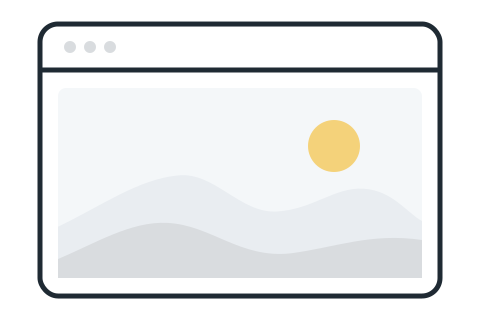
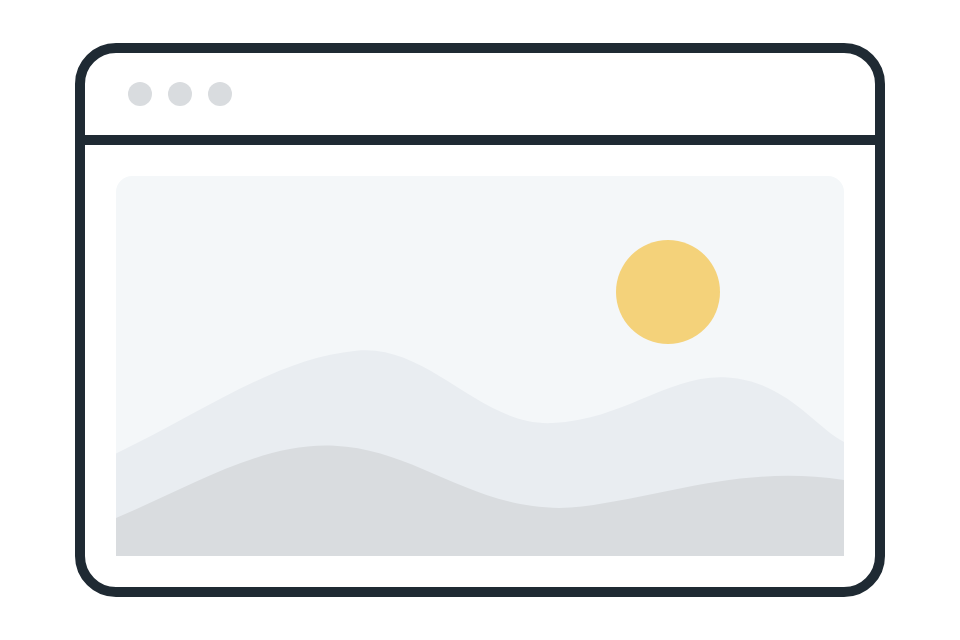
Flat colors, with no gradient and no shadow. Rounded Ink lines of even weight, hills in Ink 100 and Ink 200, the sun in Soft Yellow, accents in Sky. A door lit in yellow means someone is home.
The open house
The hero of the site and share images: the Windows of the AIs come home.

Cloud pattern
A quiet background that repeats without a seam, in grey, Sky or white.
Cloud pattern, Grey SVGCloud pattern, Sky SVGCloud pattern, White SVG





No robots, brains, glowing circuits, magic sparkles or 3D characters. Cahut is not the AI: it is the home of what the AI makes.
07House style
Their brand comes first
Cahut carries the house style of each organization. The pages a Cahut serves for an organization wear the brand of that organization, not the brand of Cahut. Cahut's own brand is for its own screens: the console, the sign-in, the e-mails it sends, and this site.
- A mention in the footer is optional. It uses the Hosted on Cahut badge, 32 px high at most.
- Never put the Cahut logo above or next to the logo of the organization.

On light footers

On dark footers


08The name and the logo
Using the name and the logo
The code of Cahut is free software under the AGPL-3.0. The name “Cahut” and the Cahut logo are not: they identify this project, and the license grants no right to them. The project intends to register the name as a trademark; this policy applies either way. It follows what Mastodon and Nextcloud do, and it protects one thing: that “Cahut” means the software maintained here, under its promises.
Without asking
You may:
- say that something runs on Cahut, works with Cahut or publishes to Cahut;
- name Cahut to describe it, compare it, review it, teach it or write about it;
- distribute unmodified copies of Cahut under its name, as release archives, packages or container images, as long as you point to this repository and keep the license with them;
- self-host Cahut for yourself or for your organization, and say that you do;
- use the logo as it is, unchanged, to point to Cahut, as the brand guidelines describe it.
Not without a written agreement
You may not:
- use “Cahut” or the logo in the name of your product, service, company, domain or social account, or in any way that suggests the project endorses you or runs your service;
- keep the name or the logo on a modified version. A fork takes another name and another logo; it may say that it derives from Cahut;
- alter the logo: recolor it, redraw it, add to it or combine it with another mark;
- sell hosting, support or training under the Cahut name.
For an agreement, or for any doubt, write to contact@cahut.cloud. Hosting partners who install Cahut for their customers are welcome: that is exactly what the agreement is for.
This section is TRADEMARK.md at the root of the repository, rendered at each build of the site.
09Files
The files to download
The full guidelines, the palettes and the design tokens. The logos, pictograms and illustrations are in their own sections above.
Brand guidelines
Every rule and every file, in a printable document. It is in French for now; this page sums it up in English.
Download the guidelinesPDF · 3.6 MB · French
Color palettes
Swatches of the five colors and their shades, for Illustrator, InDesign and Photoshop (ASE), or for GIMP and Inkscape (GPL).
Color palette for Adobe, ASEColor palette for GIMP and Inkscape, GPL
Design tokens
Colors, type, spacing, radii and shadows, with the light and dark themes, as CSS variables or as JSON in the Design Tokens format. Their comments are in French.